

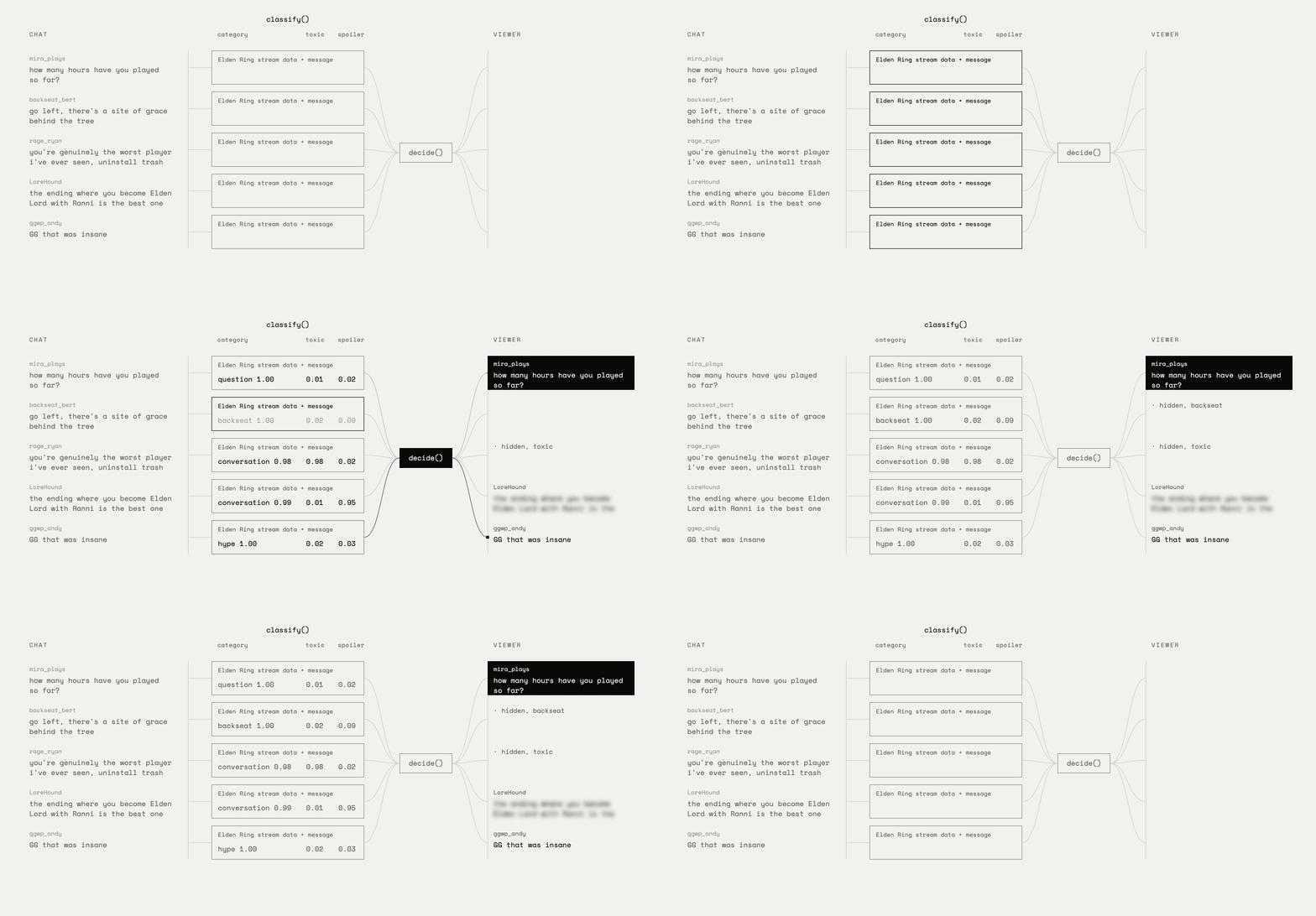
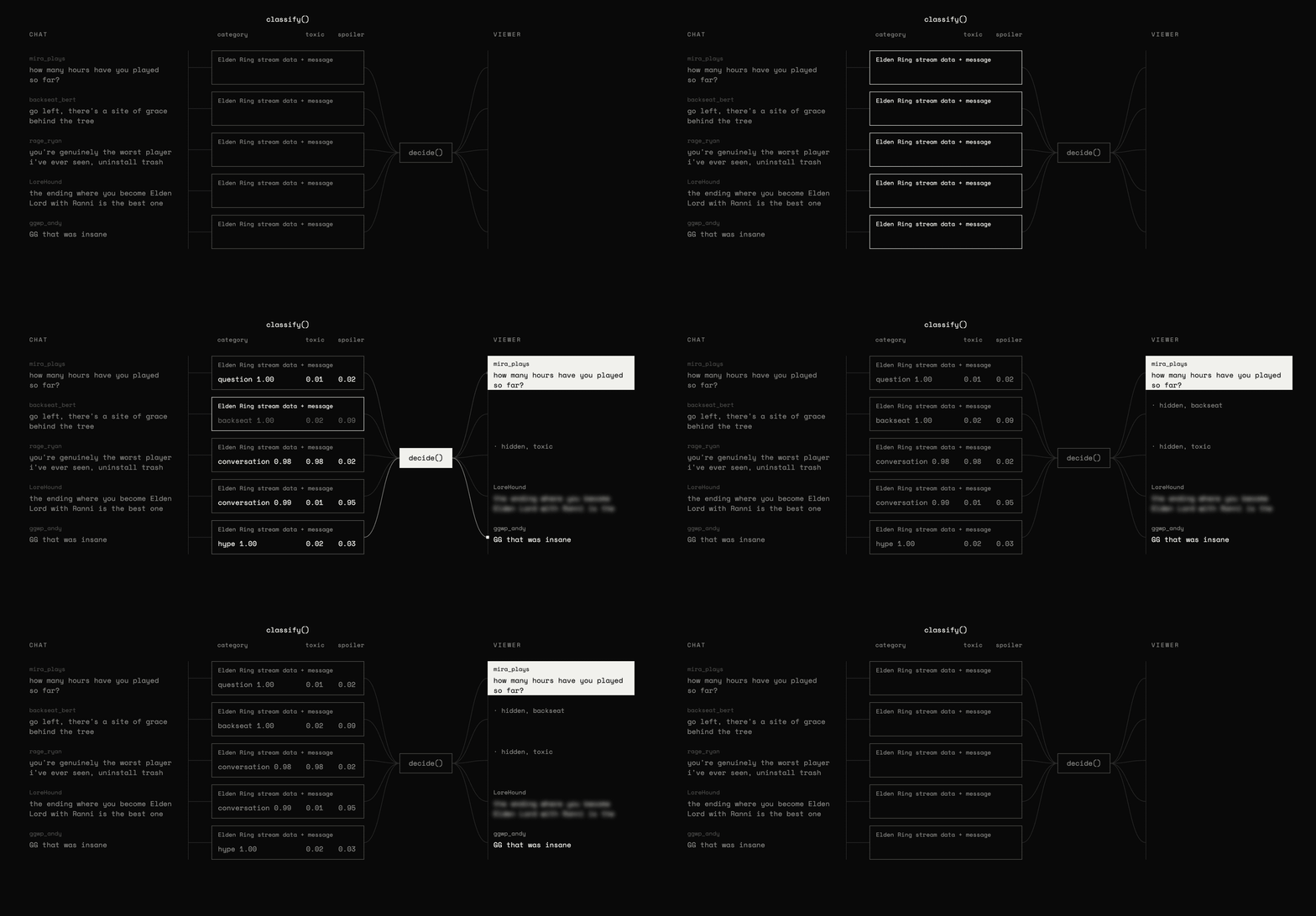
classify() asks the three questions about one message, and
decide() turns the answers into show, highlight, dim, hide, or blur. When you change a
rule, such as hiding spam, you rerun only decide(), with no new request to Jev.
Setup
twitch_chat_filter.py. As you work through this cookbook,
copy each Python code block into that file, in order. For a live run, set
TYPESAFE_API_KEY in your environment. Once you have added all the blocks, run this
command from the file’s directory:
json_cache.json
beside the script. Download it there to replay the published numbers instead of calling
the API. In a notebook, put the cache in the notebook’s working directory instead. To run
everything live again, move the cache aside and set your key. Do the same when changing
TYPESAFE_MODEL, because the cache key below includes the state and questions, not the
model.
Numbers below came from jev-1.14.0 on 2026-10-29.
Load a stretch of chat
We wrote the messages ourselves so that every kind of message turns up at least twice. Two of them are emote-only lines (emotes are small chat images on Twitch, typed as words likePogChamp).
Whether a message is a spoiler or backseat advice (gameplay tips the streamer did not ask
for) depends on which game is being played, so the stream title and game go into every
request.
Write the questions
One request asks three questions about the same state: the stream plus one message.- The
categoryquestion is aChoiceover five kinds of message. The label it picks decides what happens to the message: show, highlight, dim, or hide. - The
toxicquestion is aNoul. If its probability reaches the thresholdTOXIC_AT, the message is hidden, whatever its category. - The
spoilerquestion is aNoul. If its probability reaches the thresholdSPOILER_AT, the message is blurred, unless it is already hidden.
hype; unsolicited promotion counts as spam. A link alone is not spam.
conversation is the fallback when none of the other categories fits.
Classify one message
Each message becomes one request: we build the state from the message and send it with the three questions. The cache key is the state and the questions written out as JSON, and each answer is saved under that key. Editing a question changes that key, so the next run sends a new request instead of replaying the old answer.backseat at 1.00, with low toxic and spoiler. The
Night of Black Knives message favors conversation over backseat, 0.67 to 0.32, and
the spoiler question catches it. The last message reads like an insult, but toxic stays
low. With “love you tho” on the end, it fits the “light banter” description in the
question.
Decide what the viewer sees
Deciding what the viewer sees needs no new request. We read only the answers and apply three checks in order:- A message at or above
TOXIC_ATis hidden. - A message whose category has the rule
hideis hidden. - A message at or above
SPOILER_ATis blurred.
Filter the whole chat
The three messages above get cached, leaving 26 new requests on a first live run. No message depends on another, so the requests run in parallel, andpool.map returns
the answers in chat order.
The chat prints below as the viewer sees it. A hidden message shows only the reason it was
hidden, a blurred one shows only its author, and highlighted questions are marked with
>>. The label on the right of each line is the category answer.
STREAM and CHAT. For several channels, pass
each channel’s stream to classify().
If you hit a rate limit, lower max_workers and run again; completed answers are already
cached. In a live integration, store the platform’s message ID, or a reference to the
message’s page element, with each request. Use it to update the right message when its
answers arrive.
Change a rule without a new request
Because the answers only describe the message, we can change the rules and reuse the 29 results from the step above. Here we hide hype (cheering and emote-only lines) and dim conversation.Before you use it on a live channel
- Each message waits for its answer. Requests in this cookbook took a median of about 0.1 seconds, so a new line appears in chat before its answer comes back. Either hide each new line until its answer arrives, or accept that a toxic message is on screen for that long.
- One request at a time can’t keep up with a busy chat. Run several requests at once, as in Filter the whole chat.
- At the time this cookbook was published, Jev was trained mainly on English. It accepted other languages but answered them less accurately, so expect more misses on a non-English channel.
- A winning category can still be uncertain. Here we always apply the winning label’s rule. Before using it live, choose how to handle messages whose top two category probabilities are close to each other, and Noul values near 0.5. You could flag those messages for review or leave them visible rather than hide them automatically. Test that policy on your own channel’s chat.
- The spoiler check has no record of the streamer’s progress. It uses the game title and the model’s knowledge of the game to flag likely plot revelations. It cannot tell whether this viewer or the streamer already knows them. To filter only unseen plot points, supply the current progress and relevant plot information, then adapt the question to use that context.